
Please note: There are costs associated with using e-invoicing via Payt.
How do I activate Peppol in my Payt administration?
- Open the administration settings via the cogwheel icon in the top right corner and click on 'Invoicing'.
- Enable the 'Send UBL invoices' setting.
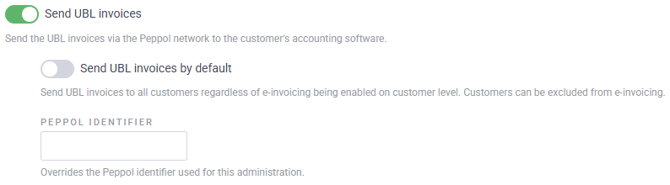
Enabling this setting ensures that the UBL document is sent via the Peppol network to the customer's accounting package. You can then choose whether you want to send invoices via Peppol by default or not.
- 'Send standard UBL invoices' enabled: Enabling this setting ensures that UBL documents are sent to all customers, regardless of whether e-invoicing is enabled at customer level. If some customers do not need to be invoiced via Peppol, you can disable this for the customer.
- 'Send UBL invoices by default' disabled: If you keep this setting disabled, UBL documents will only be sent to customers if e-invoicing is enabled for the customer.
How do I activate Peppol for a specific customer?
- Open the customer page in Payt.
- Click on 'Customer settings' in the top right corner.
- Enable or disable the 'Offer UBL when sending invoice' setting:
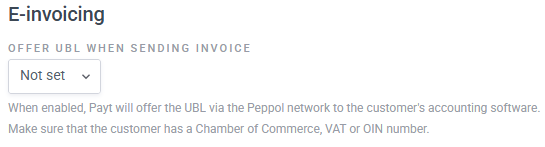
Please note: In order to send UBL invoices to a customer via Peppol, at least one of the following numbers must be known for that customer: Chamber of Commerce number, OIN number, or VAT number. The customer must also be connected to the Peppol network.
How does overriding Peppol settings at customer level work?
The customer setting overrides the default administration settings. If the setting is not configured at customer level (= 'Not set'), the administration settings are automatically applied.
|
Send UBL invoices by default |
E-invoicing debtor |
Result |
|
Off |
Enabled |
The customer receives the invoice via Peppol |
|
On |
Disabled |
The customer does not receive the invoice via Peppol |
|
Off |
Enabled |
The customer does not receive the invoice via Peppol |
|
On |
Disabled |
The customer receives the invoice via Peppol |