
Enforce Peppol-sending in specific countries
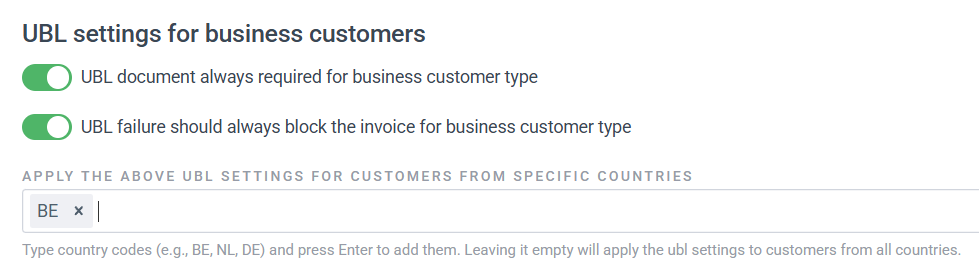
It was already possible to determine whether you want to enforce Peppol-sending for business customers. From this month, you can also specify for which countries this applies. For example, if you want to enforce Peppol-sending only in Belgium and keep it optional in other countries, you can now set this.
-
Open your administration settings via the gear icon in the top right of Payt.
-
Open the 'Invoicing' tab on the left.
-
Under 'UBL settings for business customers,' you can specify whether invoices should be sent via Peppol for business customers, and whether the invoice should be blocked if the Peppol sending fails.
See which attachment was sent from the timeline
Since January, you can immediately see in the timeline of your invoice or debt collection case whether attachments have been sent to your customer and, if so, which ones. This is indicated by the attachment icon next to the completed step.